
Roles and permissions in ClinicalSim
What Member, Project Manager, Admin, and Owner can each do in ClinicalSim, whose results they can see, and how to pick the right role for someone in your program.
Last updated
Everyone in your organization holds one role. The role decides two things: what that person can change, and whose results they can see. There are three roles you'll hand out: Member, Project Manager, and Admin.
Most people in a program are Members. A handful run cohorts, so they're Project Managers. One or two run the whole account, so they're Admins.
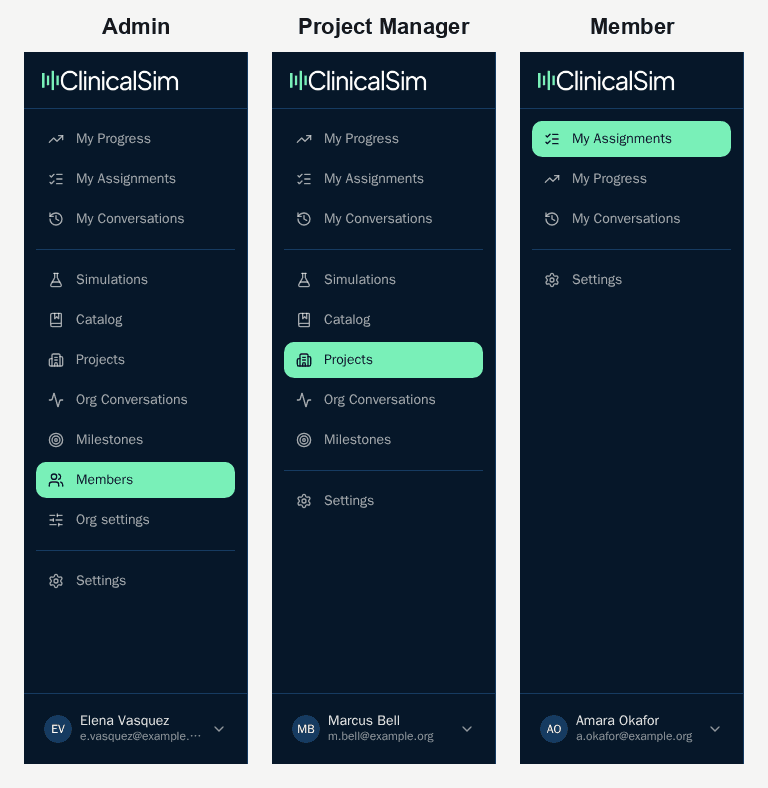
Member
The people doing the practicing. Residents, fellows, students, faculty working through a remediation plan.
A Member signs in and sees their assignments, their own transcripts, and their own feedback. That's the whole surface. They can start any simulation that a Project Manager or Admin has assigned to them, review what the grader said, and run it again.
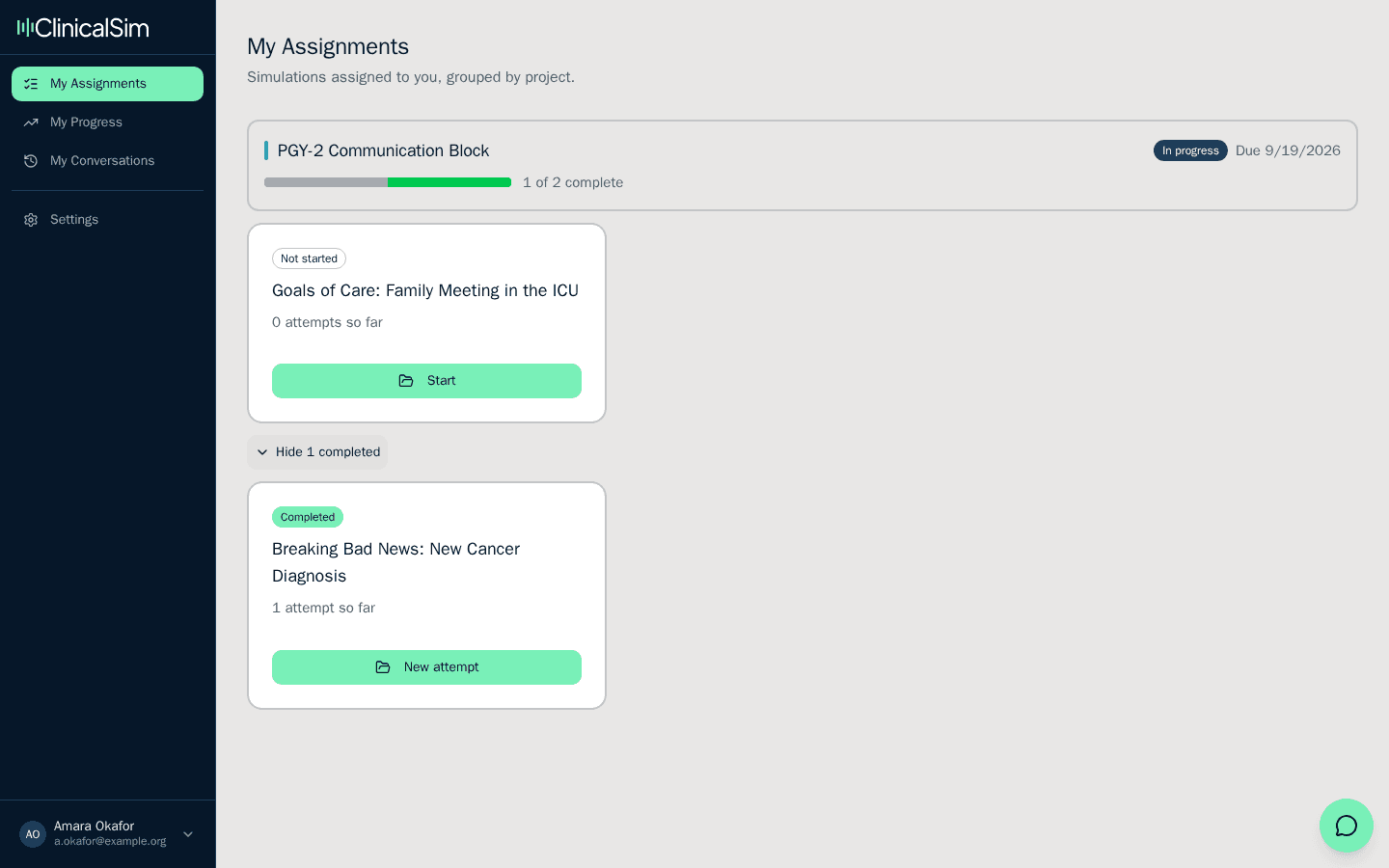
A Member cannot see another learner's results. Not their scores, not their transcripts, not whether they've finished. There's no setting that opens this up, and there's no view where one learner's work appears next to another's. Members also can't invite anyone or set up projects.
Their own history stays with them. If a project ends, or a simulation is retired, a learner keeps access to every session they already ran.
Project Manager
The person who runs a cohort. In practice this is an APD, a chief resident, a clerkship director, or a simulation center coordinator.
A Project Manager builds projects. They choose which simulations go in, set the due date, and add the learners. Adding people happens in one place. Existing members are picked from a list, and anyone without an account yet is typed in as an email address. Either way they arrive as Members, and a Project Manager can't promote anyone.
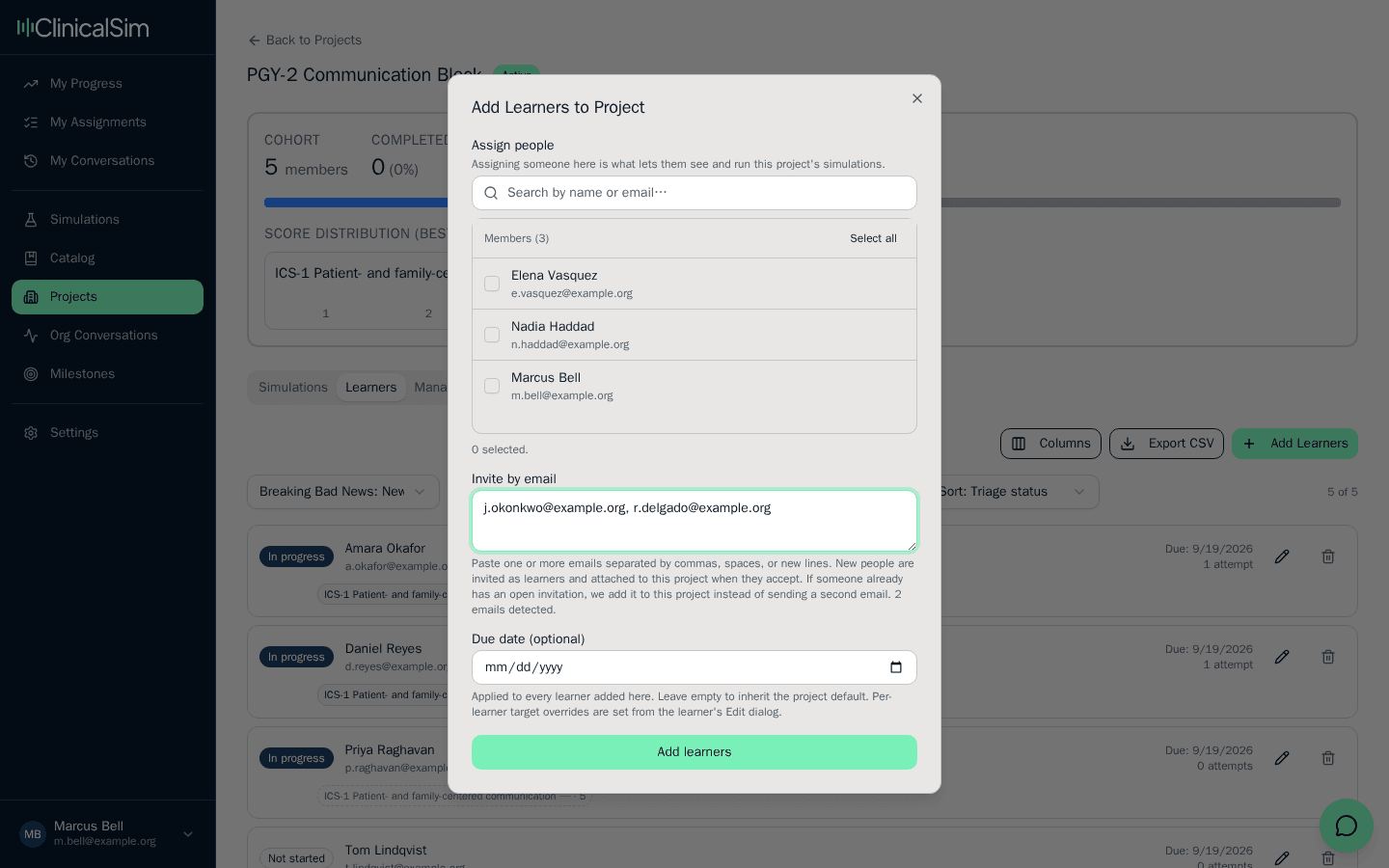
Once the project is running, they see how their cohort is doing: who has started, who has finished, the feedback each learner received, and the assessment data rolled up across the group. They can also run the simulations themselves, which most of them do before assigning anything.
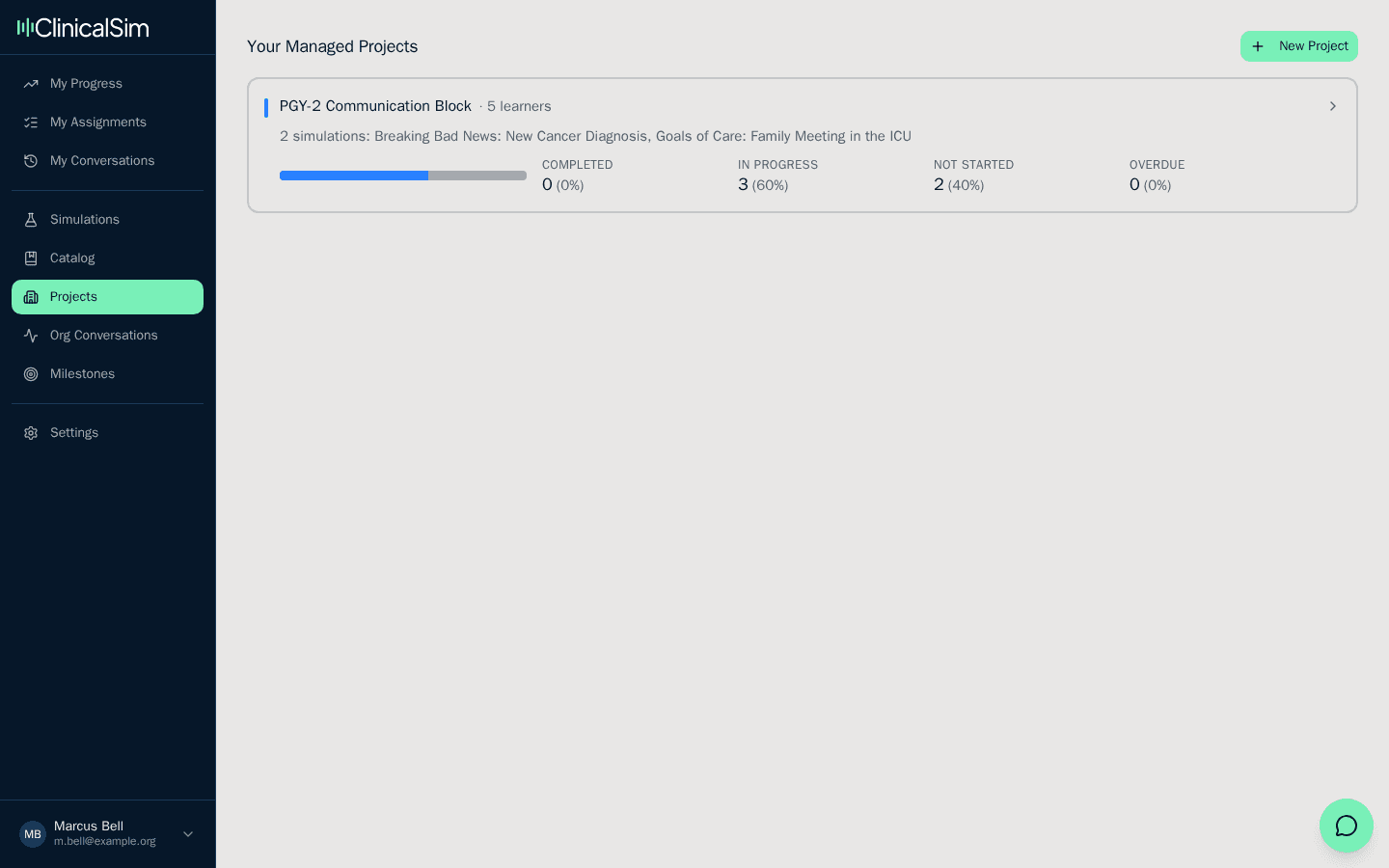
The boundary that matters: a Project Manager sees the projects they manage and nothing else. Another cohort's learners, transcripts, and assessment data are invisible to them, even inside the same institution. That's the point of the role. Someone can run their own residents without getting a window into the program next door.
Think about a residency where residents rotate through cardiology, the NICU, and everything else. You may want the NICU faculty to see the conversations their residents are practicing that month without opening up every other rotation in the institution. That's the line this role draws.
Two smaller limits. A Project Manager can't change anyone's role or remove a person from the organization, and the role on its own doesn't hand them any projects. They can set up a project themselves and manage it from there, but to see one that already exists, an Admin or one of that project's managers has to add them to it.
The catch is who they can add. Whoever is being brought onto the project has to already hold Project Manager or Admin somewhere in the organization. A Project Manager can hand a co-manager a cohort they run themselves, but if that person is still a plain Member, an Admin has to change their role first.
Admin
Everything a Project Manager can do, minus the project boundary, plus control over who belongs to the organization.
An Admin invites anyone to the organization and picks the role they arrive with, whether that's Member, Project Manager, or Admin. They change roles later, and they remove people who've left.
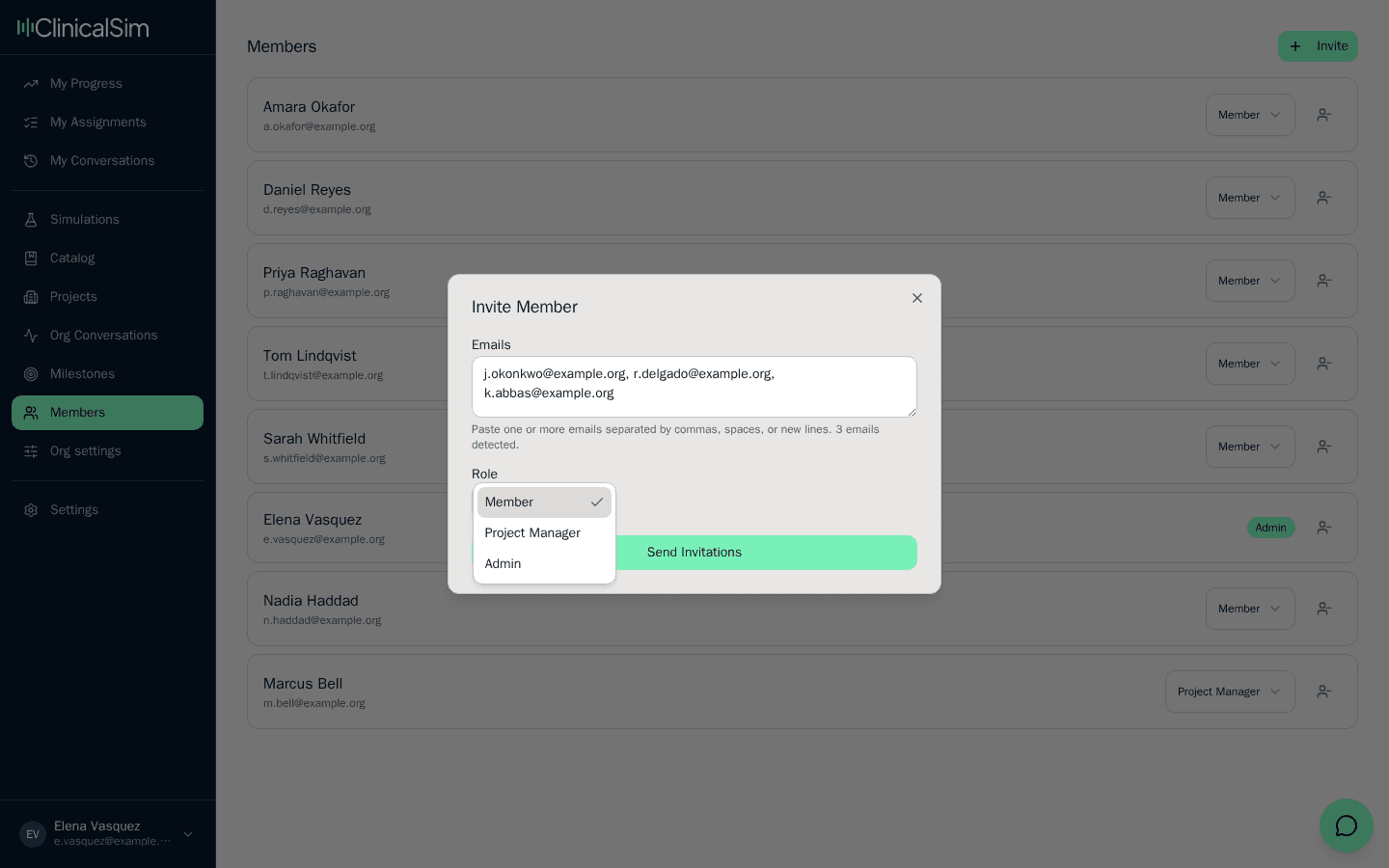
An Admin sees the whole organization: every project, every learner, every transcript, and assessment data across all cohorts rather than one at a time. This is the view a program director or DIO usually wants, because it's the one that answers questions across programs instead of within a single project.
Admins also manage the organization's settings and can delete projects.
Owner
Whoever created the account. An Owner is an Admin who can also close the organization. There's normally one, and it isn't a role you assign from the members page.
What Member, Project Manager, and Admin can do
| Capability | Member | Project Manager | Admin |
|---|---|---|---|
| Run assigned simulations | Yes | Yes | Yes |
| See their own feedback and transcripts | Yes | Yes | Yes |
| Create and edit projects | No | Yes | Yes |
| Choose which simulations a project uses | No | Yes | Yes |
| Set due dates | No | Yes | Yes |
| Invite new learners by email | No | Into their own projects, as Members | Anywhere in the organization, at any role |
| See other learners' feedback | No | In the projects they manage | Everywhere in the organization |
| See assessment data across learners | No | For the projects they manage | For the whole organization |
| Add a co-manager to a project | No | On the projects they manage | On any project in the organization |
| Change someone's role | No | No | Yes |
| Remove someone from the organization | No | No | Yes |
| Delete a project | No | No | Yes |
| Change organization settings | No | No | Yes |
Owner has no column of its own because an Owner holds every Admin permission, plus the one thing no other role has: closing the organization.
A few things worth knowing
Nothing crosses organizations. Every project, learner, transcript, and score belongs to one organization, and no role reaches outside it. A person belongs to one organization at a time.
Membership and assignment are different things. Being in the organization gets someone an account. Being assigned to a project is what gives them simulations to run. A learner who belongs to your organization but sits in no project signs in to an empty catalog, which is almost always the explanation when someone says they can't find anything.
Being a Project Manager is not the same as managing a project. The role grants the ability to build and run one, not a view into the cohorts other people already set up. To see one of those, a manager has to be added to it by name.
Invitations only move access up. If you invite someone who's already in the organization at a higher role, they keep the higher one. Re-sending an invitation never quietly reduces what somebody could already do. Re-inviting someone who already has an open invitation doesn't send a second email either. The new project is added to the invitation they already have. If an invitation has expired or never arrived, an Admin or Owner can resend an invitation or share a join link.
Members always keep their own record. Removing a simulation from a project, or ending the project entirely, doesn't take away the feedback a learner has already earned.
Choosing a role
Give someone Member if they're there to practice.
Give someone Project Manager if they're responsible for a specific group of learners and should see that group's results, but shouldn't see the rest of the institution.
Give someone Admin if they need the view across every program, or if they'll be the one adding and removing people. Keep this list short. It's the only role that can see every learner's transcript.